To change your Google Drive folder permissions so that we are able to access your files (such as your company profile, new website content, website changes, photos to be inserted in your website etc), please follow the steps below.
- Open https://drive.google.com/ and enter the folder which you want to share with us
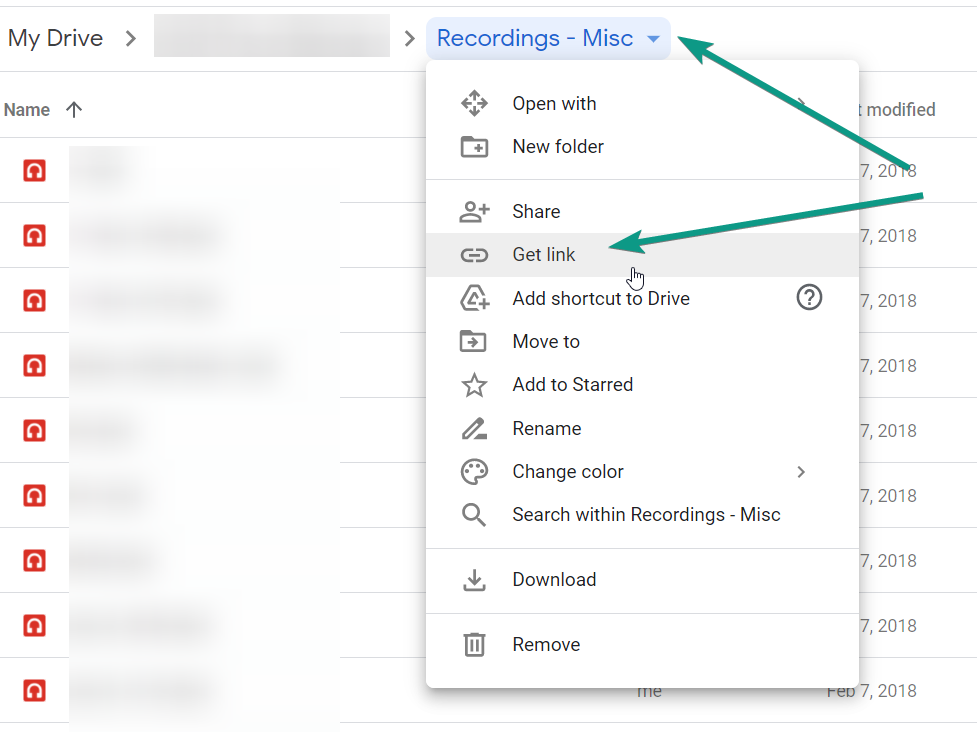
- Beside the folder name, click the little arrow that points downwards. Click "Get Link".
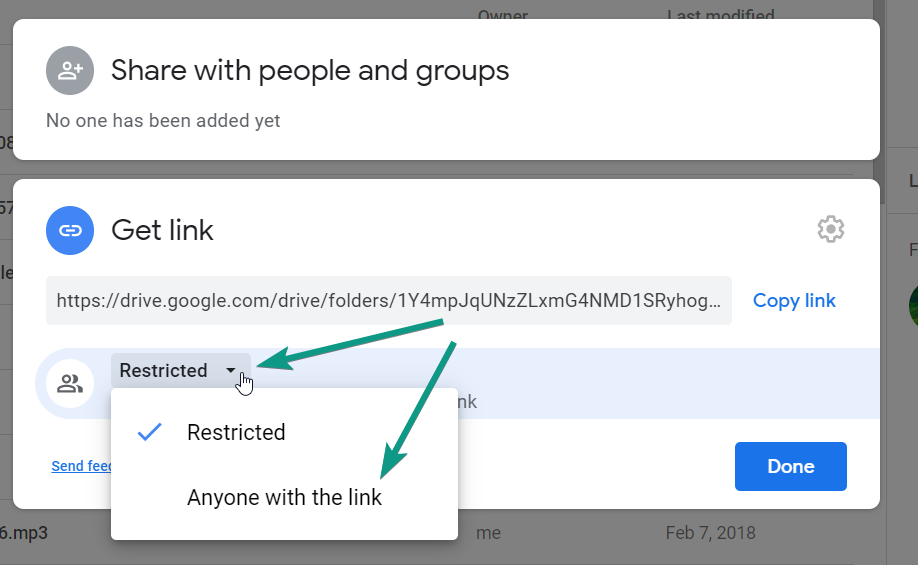
- Change it from "Restricted" to "Anyone can view"
- Change from "Viewer" to "Editor"
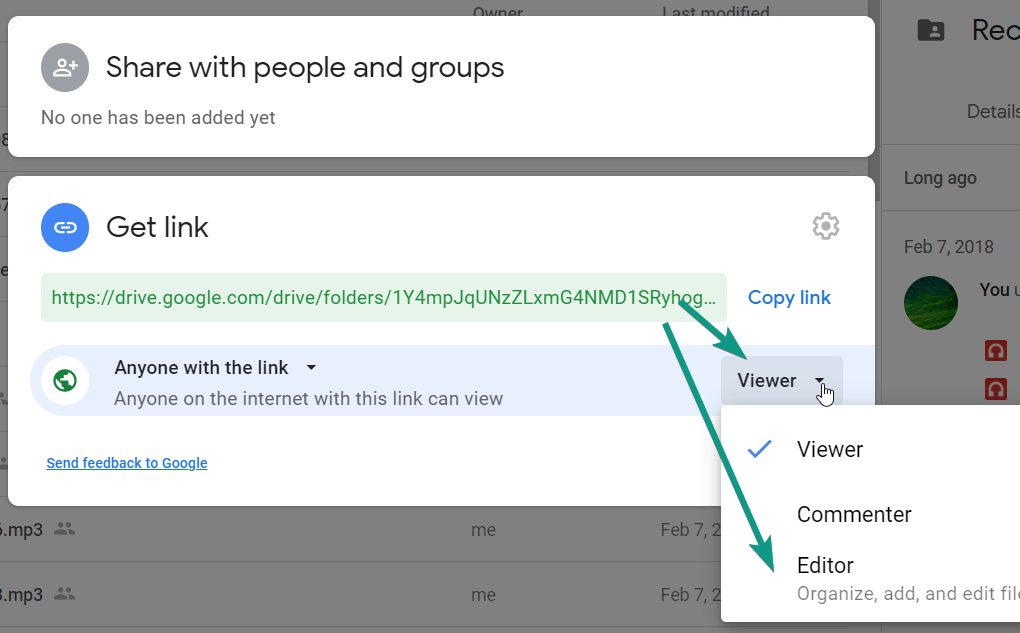
- Copy the link shown and send us the link