To check your email online via Webmail, you will need your email address as well as your password.
If your website URL is www.MyCompany.com then you just need to add ":2095" to the end of the URL to access your webmail. For example: www.MyCompany.com:2095
If your website URL is www.TanAndPartners.com then your webmail is at: www.TanAndPartners.com:2095
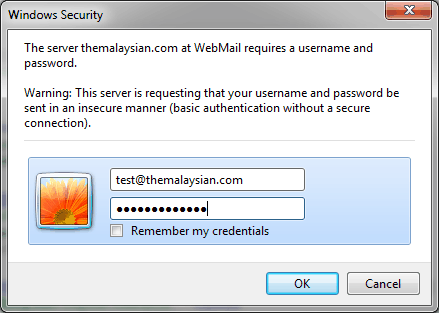
Once you open your webmail, you will be prompted for your username and password. Your username is your full email address (example: jane@tanandpartners.com) and your password is your email's password.
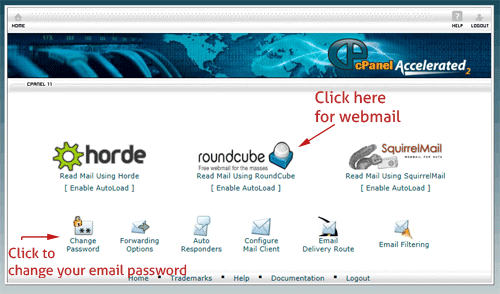
Once you enter this information, you will be shown your Email Control Panel - you can then check your email via RoundCube, change your password, or adjust your anti-spam.